6 장 Plot using matplotlib, pandas, seaborn
6.1 환경설정
- 한글 폰트
- 이미지 사이즈
- 예제: sine곡선 그려보기 \[ y = \sin(x), -2\pi \le x \le 2\pi. \]
import matplotlib.pyplot as plt   # package for plotting
import numpy as np

# 그래프에서 마이너스 폰트 깨지는 문제에 대한 대처
plt.rcParams['axes.unicode_minus'] = False
# 한글폰트 전역 설정
plt.rcParams["font.family"] = 'NanumGothicCoding'#'NanumGothic'#'UnDotum'#'NanumBarunGothic' #UnDotum
# 이미지의 크기 조정
plt.rcParams["font.size"] = 12         # 그림의 글자크기 조정 11 pt
plt.rcParams["figure.figsize"] = (8,6) # 그림의 크기를 가로 7 in, 세로 5 in

x = np.linspace(-2*np.pi, 2*np.pi, 100) # -2pi과 2pi사이를 100개의 점으로 나타냄
y = np.sin(x)
plt.plot(x,y) # 기본 플롯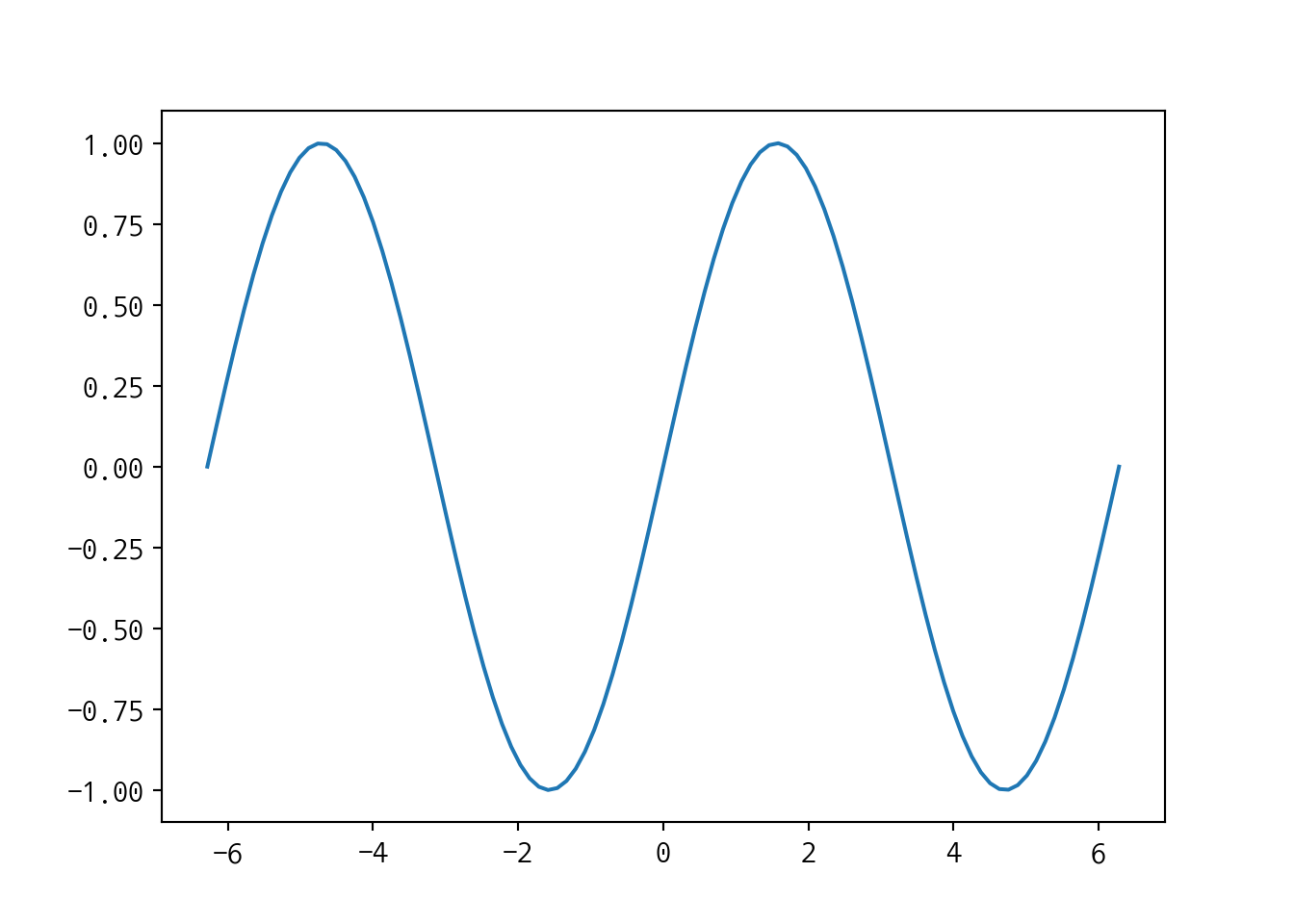
6.2 기본 플롯
타이틀 / X, Y축 이름
colors
b: blue; -g: green; -c: cyan; -m: magenta; -y: yellow; -k: black; -w: white
Line style
-: solid;--: dashed;-.: dash-dot;:dottedSymbol markers
.: point;,: pixcel;o: circle;v: down trangle;^up-triangle;s: square*: star;+: +,D: diamond
레전드 표시
그리드 표시
plt.plot(x, y, 'r:^', label='legend 표시')                                       # color와 symbol marker type ==> 아래 참조
plt.plot(x, 0.5*y, color='blue', marker='o', linestyle=':',label='legend2 표시') # color와 symbol marker type ==> 아래 참조

plt.title('Sine graph')     # 제목, X와 Y축 제목
plt.xlabel(r'$x$')
plt.ylabel(r'$sin(4 \pi x)$')

plt.grid(True) # 그리드 표시
plt.legend(loc='upper left')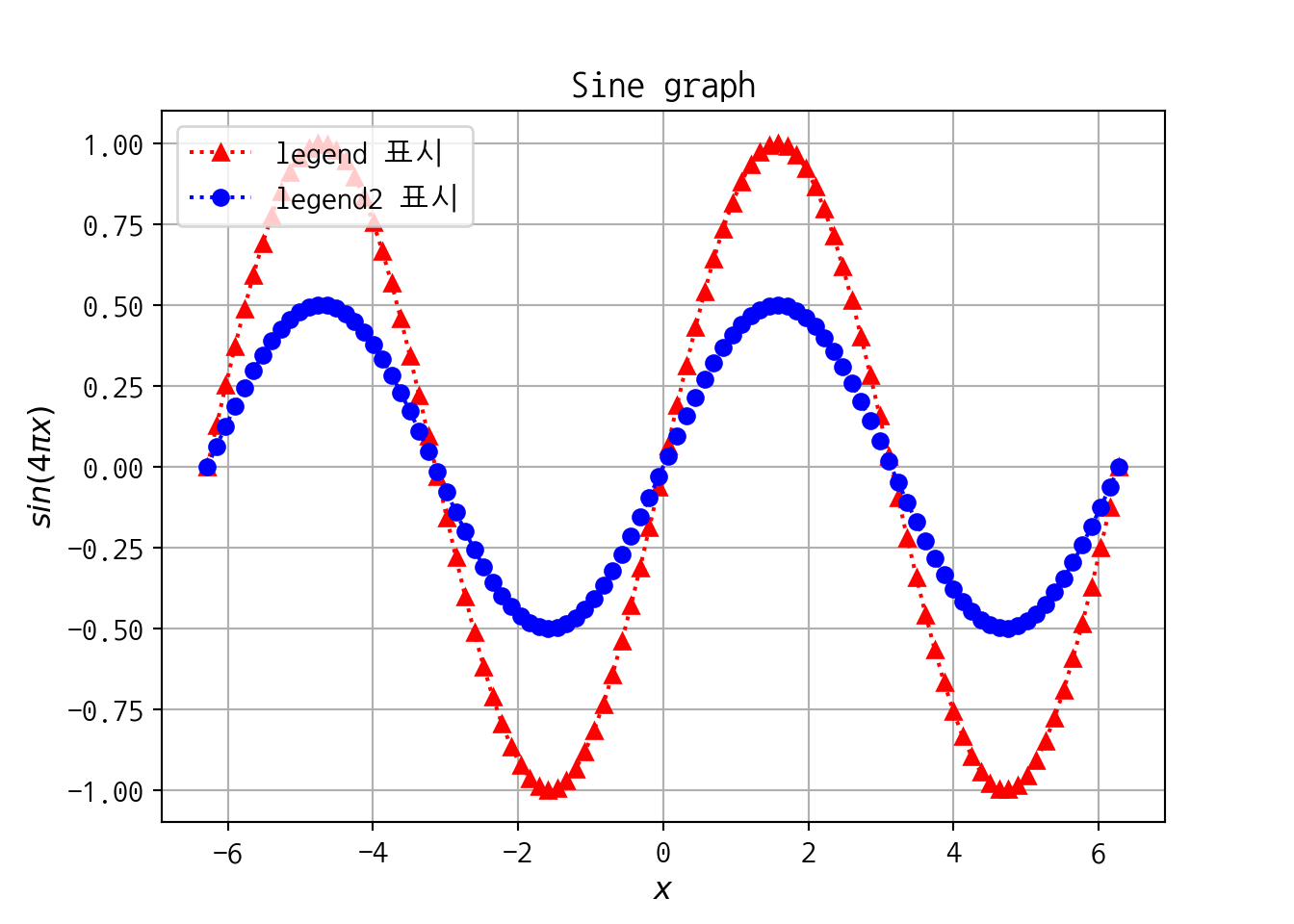
6.3 Subplot
- 여러개의 그림을 행렬처럼 배치
import matplotlib.pyplot as plt
import numpy as np

x = np.linspace(0,1,50)
y1 = np.cos(4*np.pi*x)
y2 = np.cos(4*np.pi*x)*np.exp(-2*x)

plt.subplot(2,1,1) # 2행 1열, idnum
plt.plot(x,y1,'r-*',lw=1)
plt.grid(True)
plt.ylabel(r'$sin(4 \pi x)$')


plt.subplot(2,1,2)
plt.plot(x,y2,'bo',lw=1)
plt.grid(True)
plt.xlabel('x')
plt.ylabel(r'$ e^{-2x} sin(4\pi x) $')
#plt.axis([0, 1,-1.5,1.5]) # x축 범위/y축범위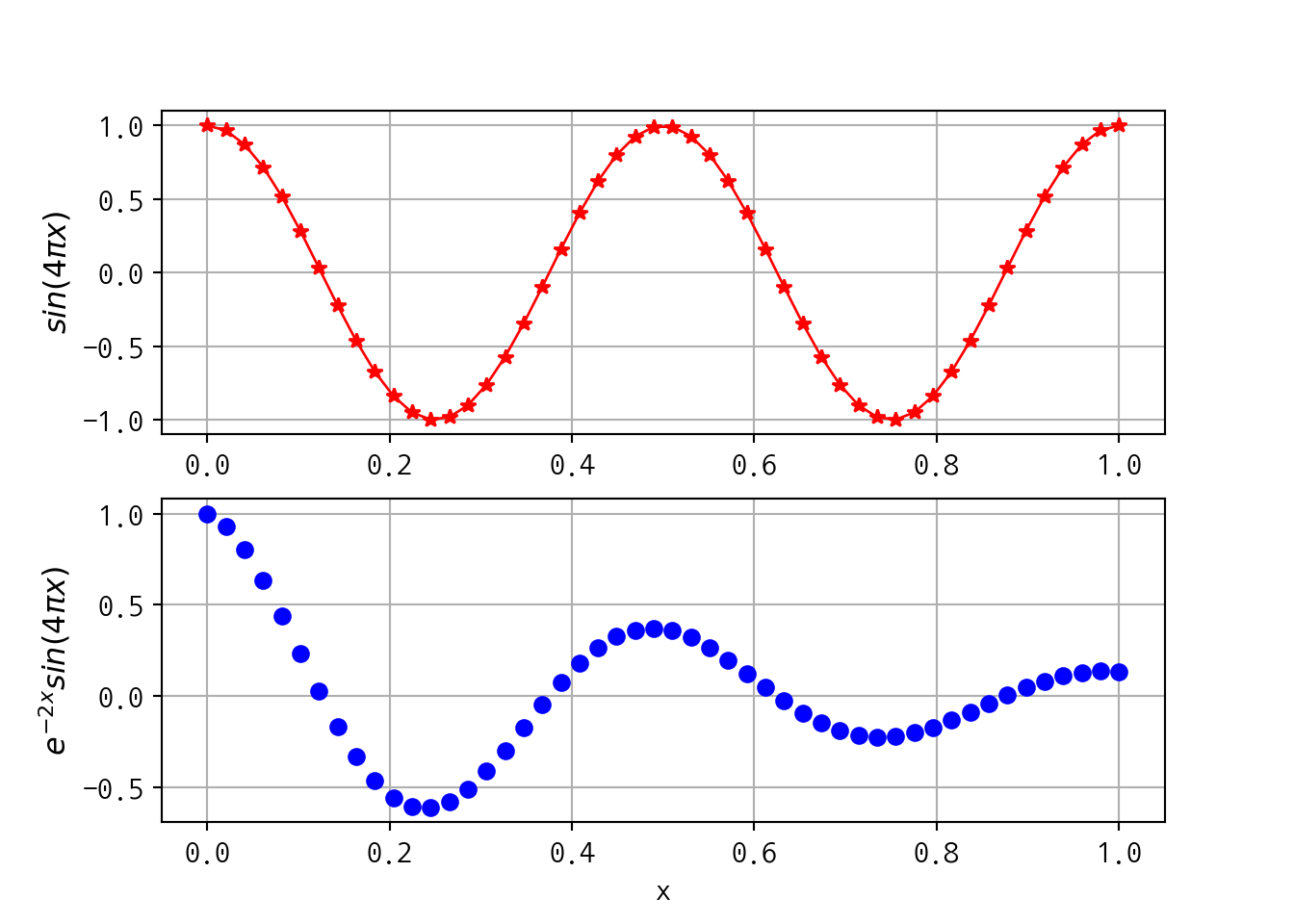
6.4 다양한 plots
- plt.plot()
- plt.boxplot()
- plt.hist()
- plt.scatter([x축 데이터], [y축 데이터])
- plt.bar([x축 데이터], [y축 데이터])
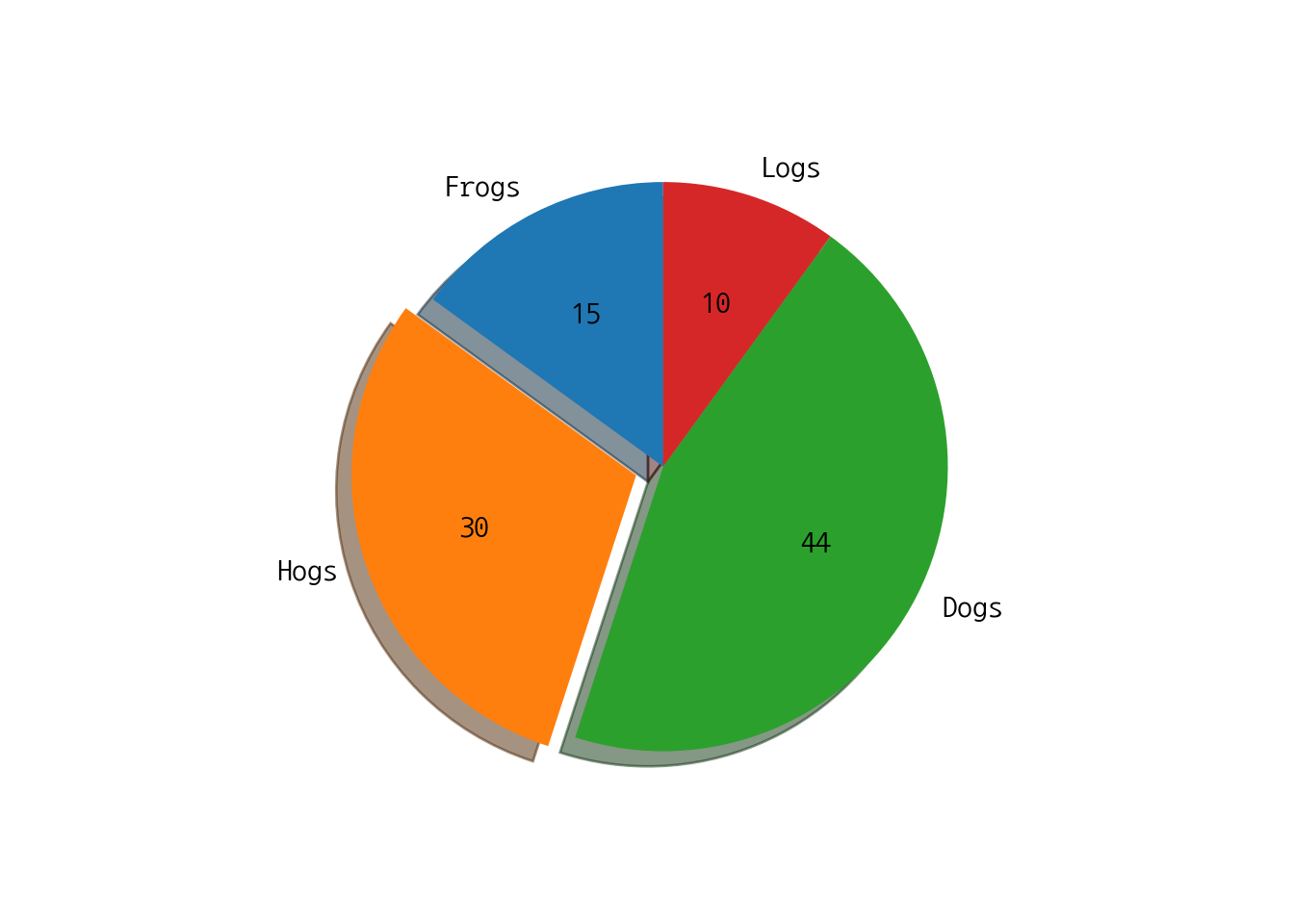
- plt.pie([비율 데이터])
6.4.1 상자그림
data = np.random.normal(0, 4, 100)
a = plt.boxplot(data, vert=False) # vert: 가로/세로 상자그림
plt.title('Basic Plot')
plt.show()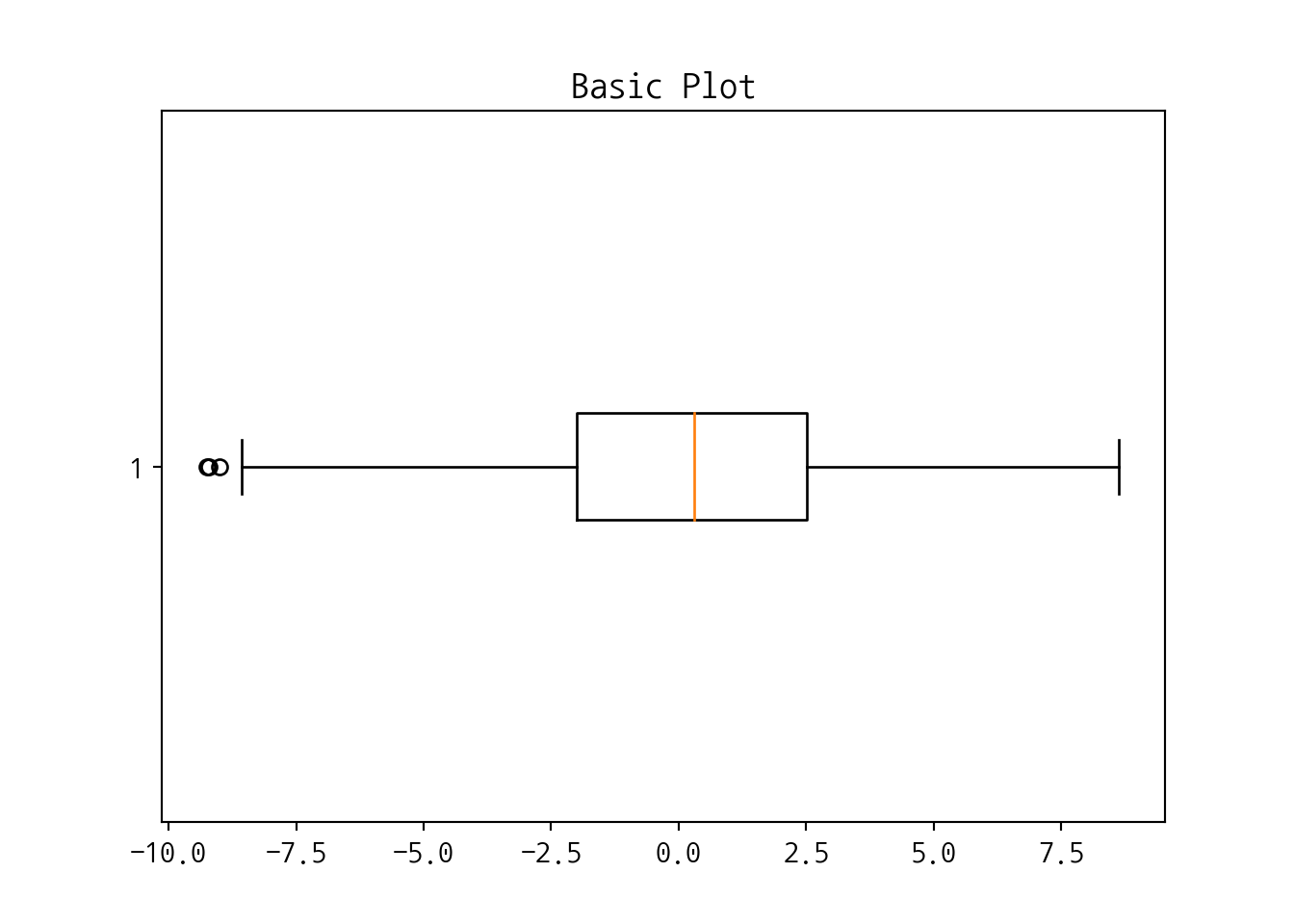
import seaborn as sns
iris = sns.load_dataset("iris")    # 붓꽃 데이터
#iris.columns
s1 = iris['sepal_length'].to_list()
s2 = iris['sepal_width'].to_list()
plt.boxplot([s1,s2]) # vert: 가로/세로 상자그림
## {'whiskers': [<matplotlib.lines.Line2D object at 0x7fbe332c7390>, <matplotlib.lines.Line2D object at 0x7fbe33258690>, <matplotlib.lines.Line2D object at 0x7fbe33266550>, <matplotlib.lines.Line2D object at 0x7fbe33258c10>], 'caps': [<matplotlib.lines.Line2D object at 0x7fbe33258b90>, <matplotlib.lines.Line2D object at 0x7fbe332c7550>, <matplotlib.lines.Line2D object at 0x7fbe33266f10>, <matplotlib.lines.Line2D object at 0x7fbe3325e5d0>], 'boxes': [<matplotlib.lines.Line2D object at 0x7fbe332d1410>, <matplotlib.lines.Line2D object at 0x7fbe3325eb90>], 'medians': [<matplotlib.lines.Line2D object at 0x7fbe3325e610>, <matplotlib.lines.Line2D object at 0x7fbe3326e950>], 'fliers': [<matplotlib.lines.Line2D object at 0x7fbe3325eb10>, <matplotlib.lines.Line2D object at 0x7fbe3326ee50>], 'means': []}## ([<matplotlib.axis.XTick object at 0x7fbe332a8bd0>, <matplotlib.axis.XTick object at 0x7fbe332a8290>], <a list of 2 Text xticklabel objects>)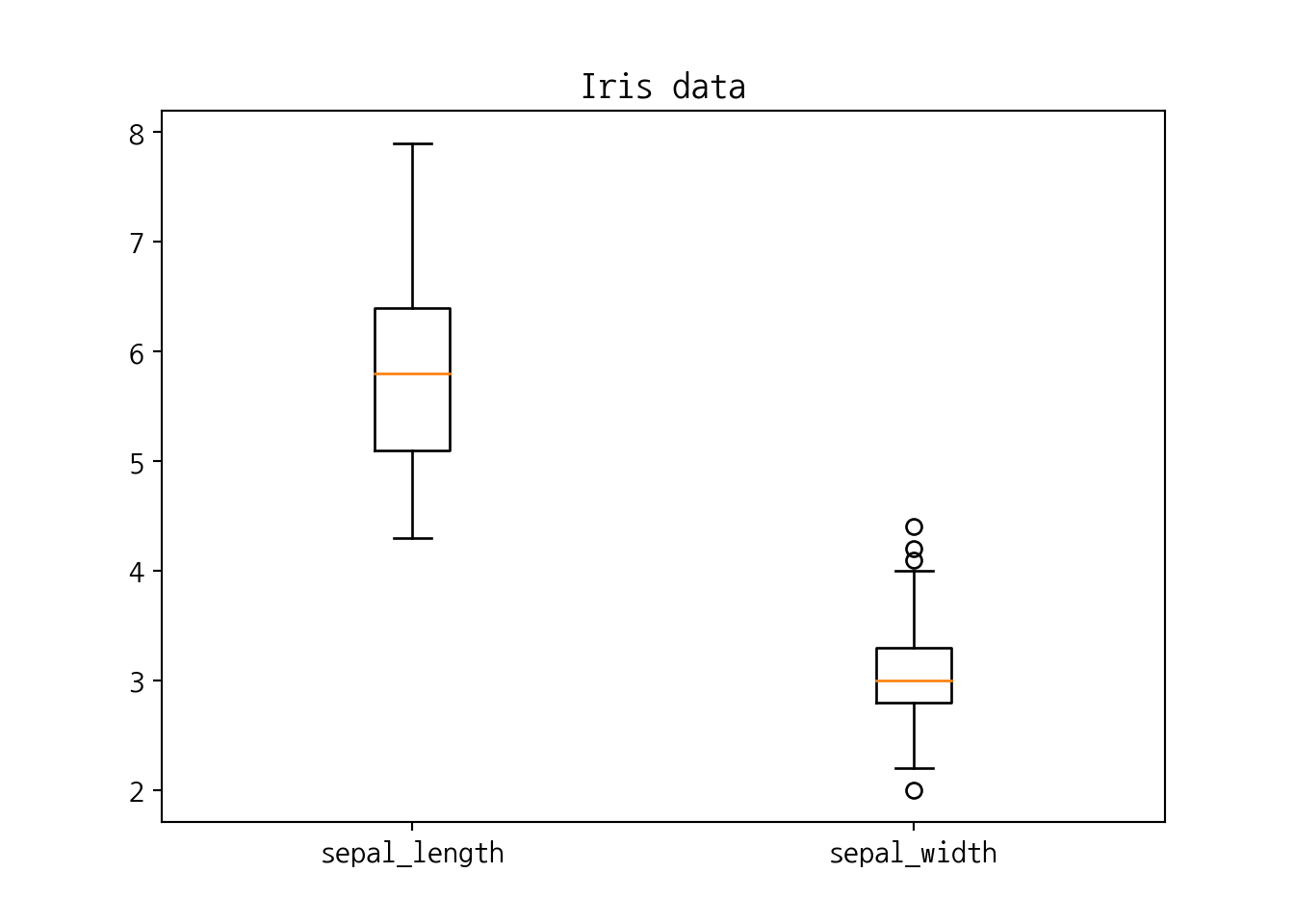
6.4.2 히스토그램
## ([array([ 0., 0., 0., 1., 21., 37., 36., 35., 13., 7.]), array([19., 75., 44., 11., 1., 0., 0., 0., 0., 0.])], array([2. , 2.59, 3.18, 3.77, 4.36, 4.95, 5.54, 6.13, 6.72, 7.31, 7.9 ]), <a list of 2 Lists of Patches objects>)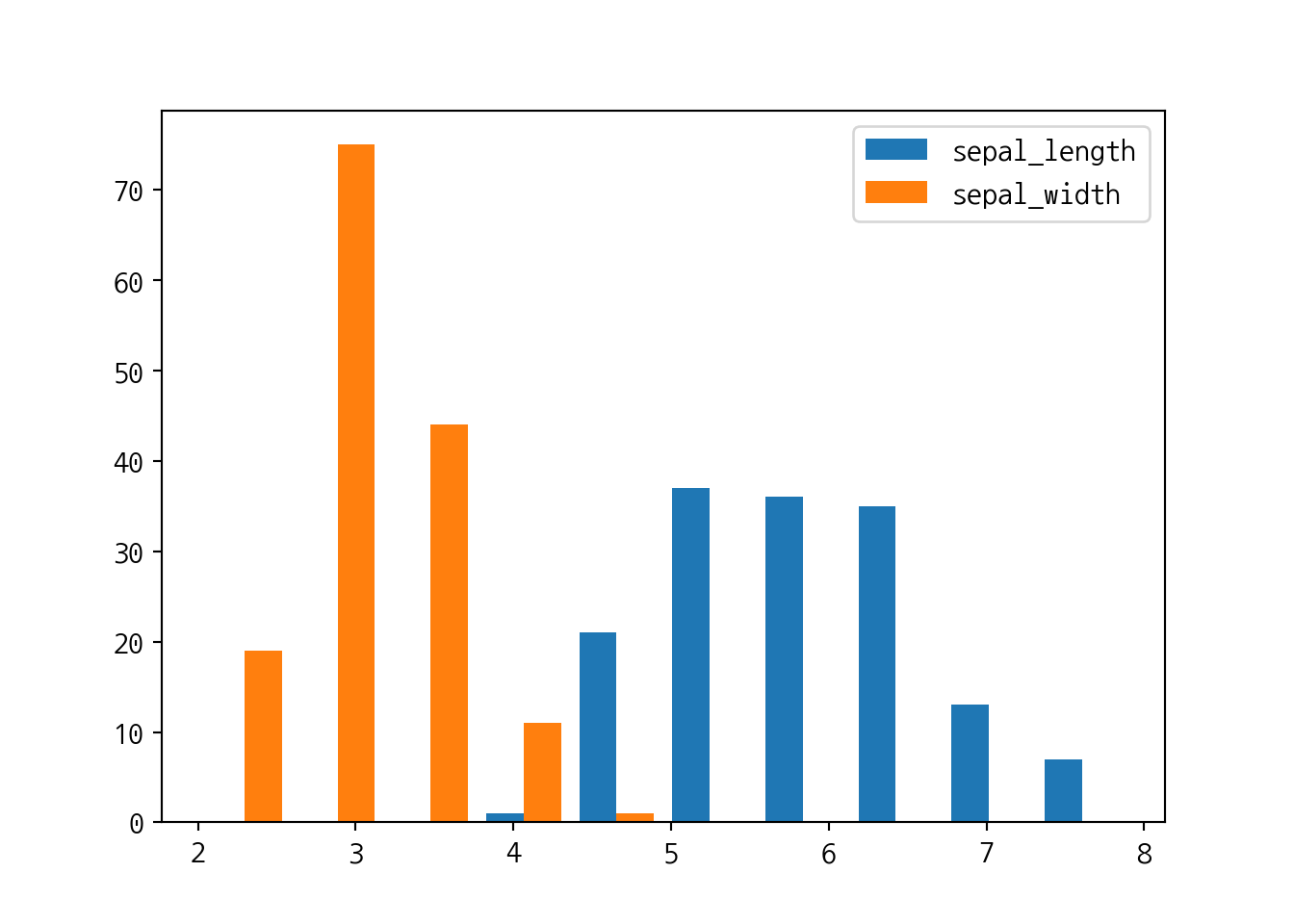
6.4.3 산점도
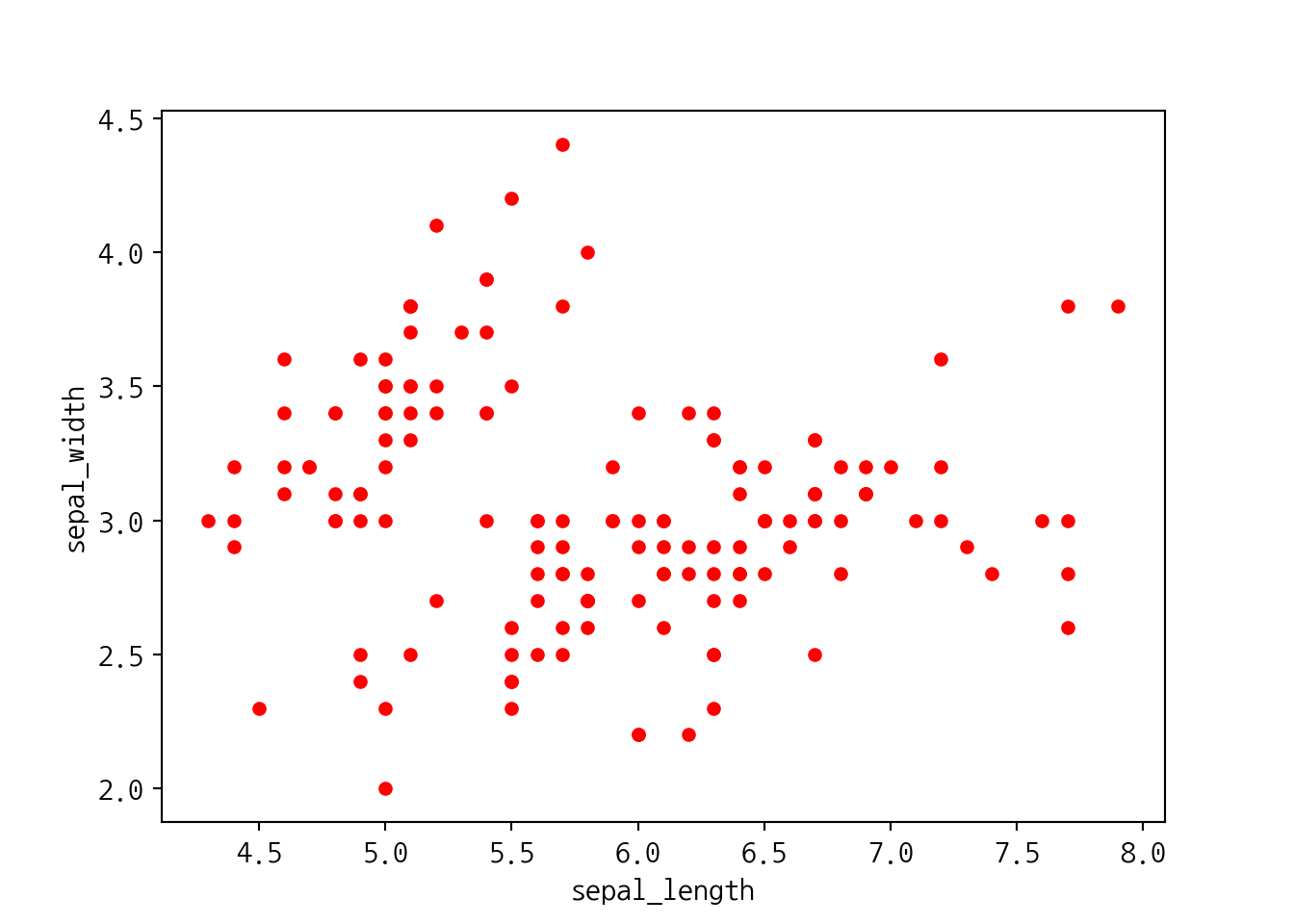
plt.scatter(s1, s2, color='r')
#plt.xlabel("sepal_length")
plt.ylabel("sepal_width")
plt.xlabel("sepal_width")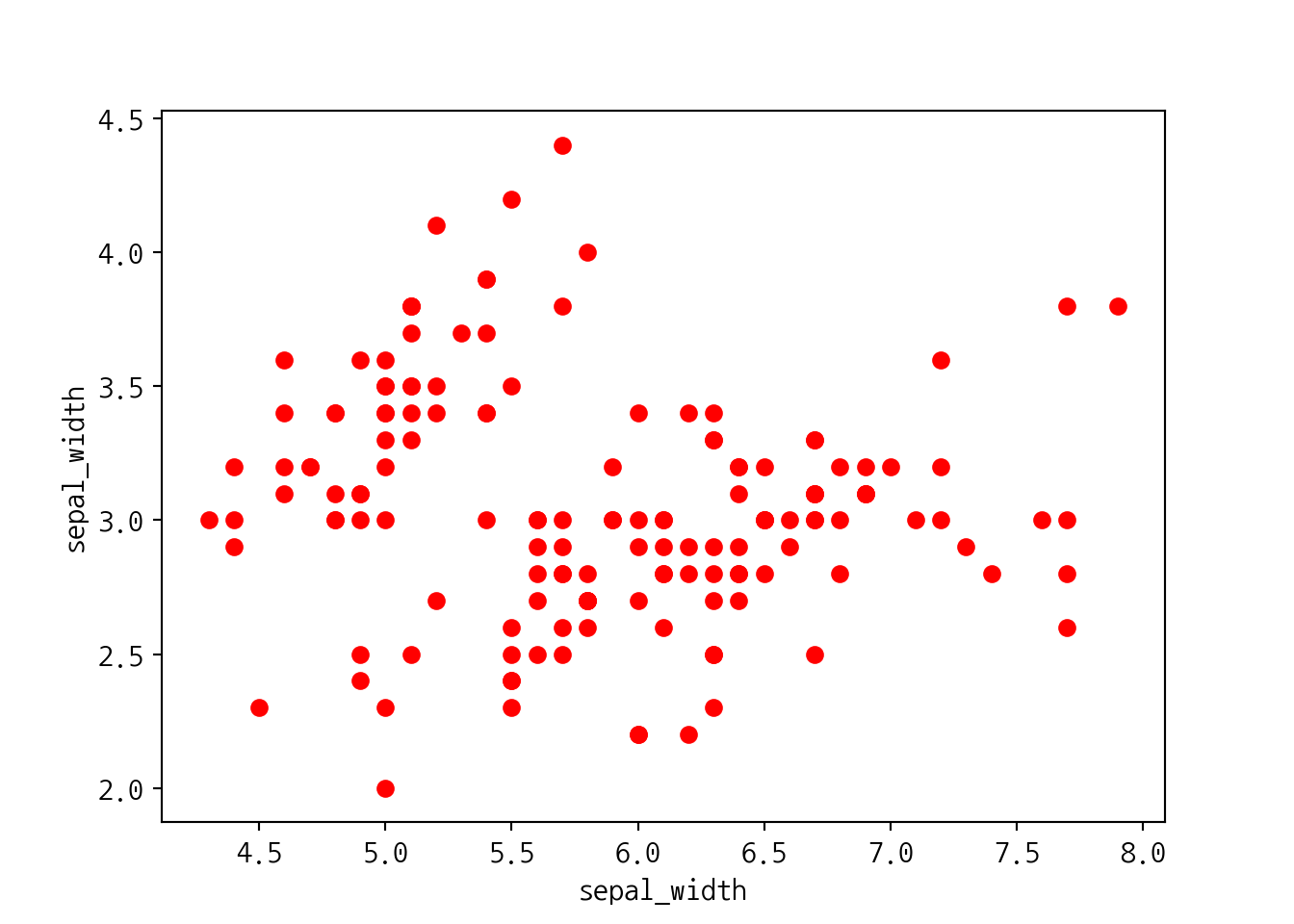
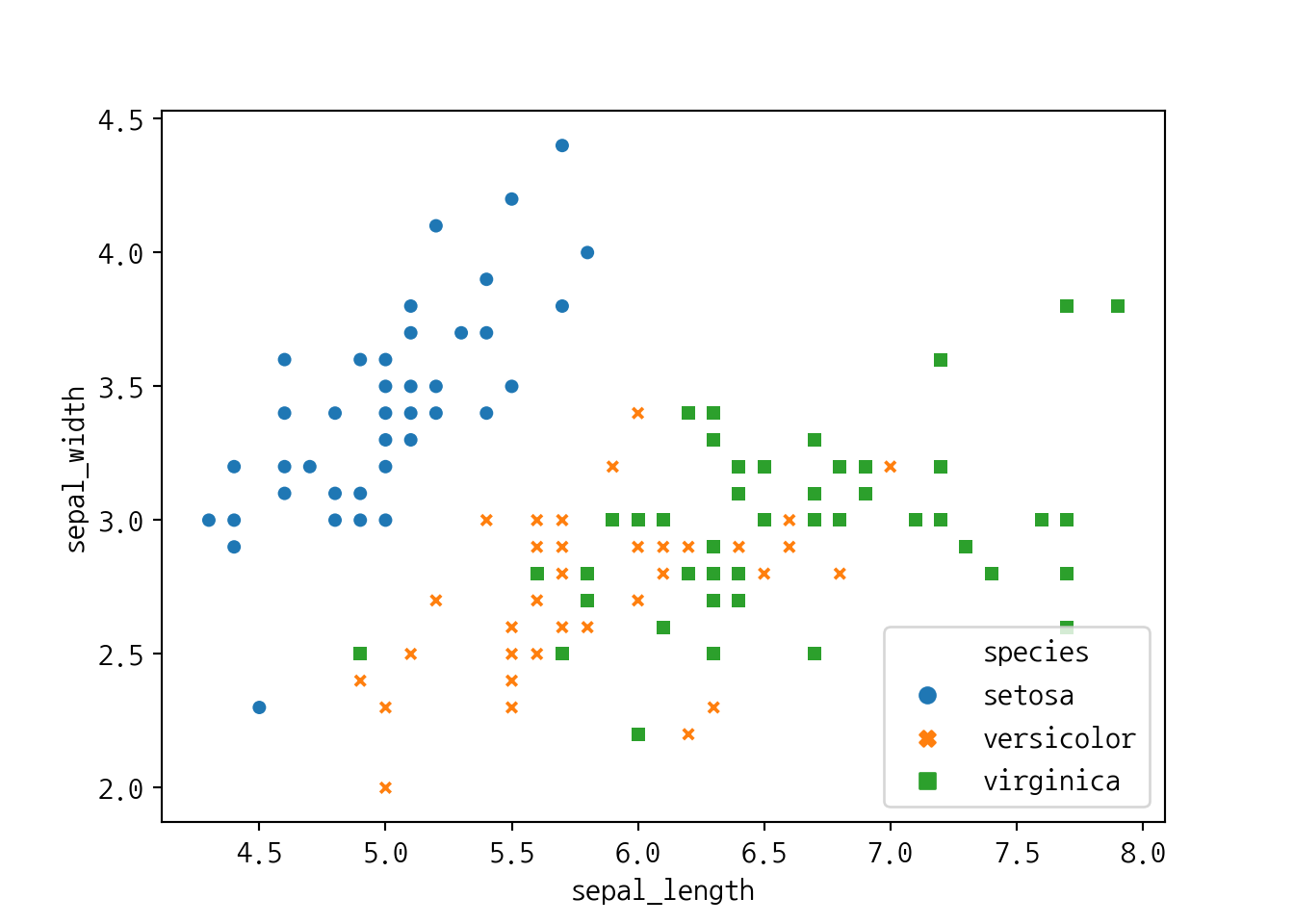
groups = iris.groupby('species')

fig, ax = plt.subplots()
for name, group in groups:
    ax.scatter(group.petal_length,
            group.petal_width,
            marker='o',
            label=name)
ax.legend(fontsize=12, loc='upper left') # legend position
plt.title('Scatter Plot by matplotlib', fontsize=15)
plt.xlabel('Petal Length', fontsize=12)
plt.ylabel('Petal Width', fontsize=12)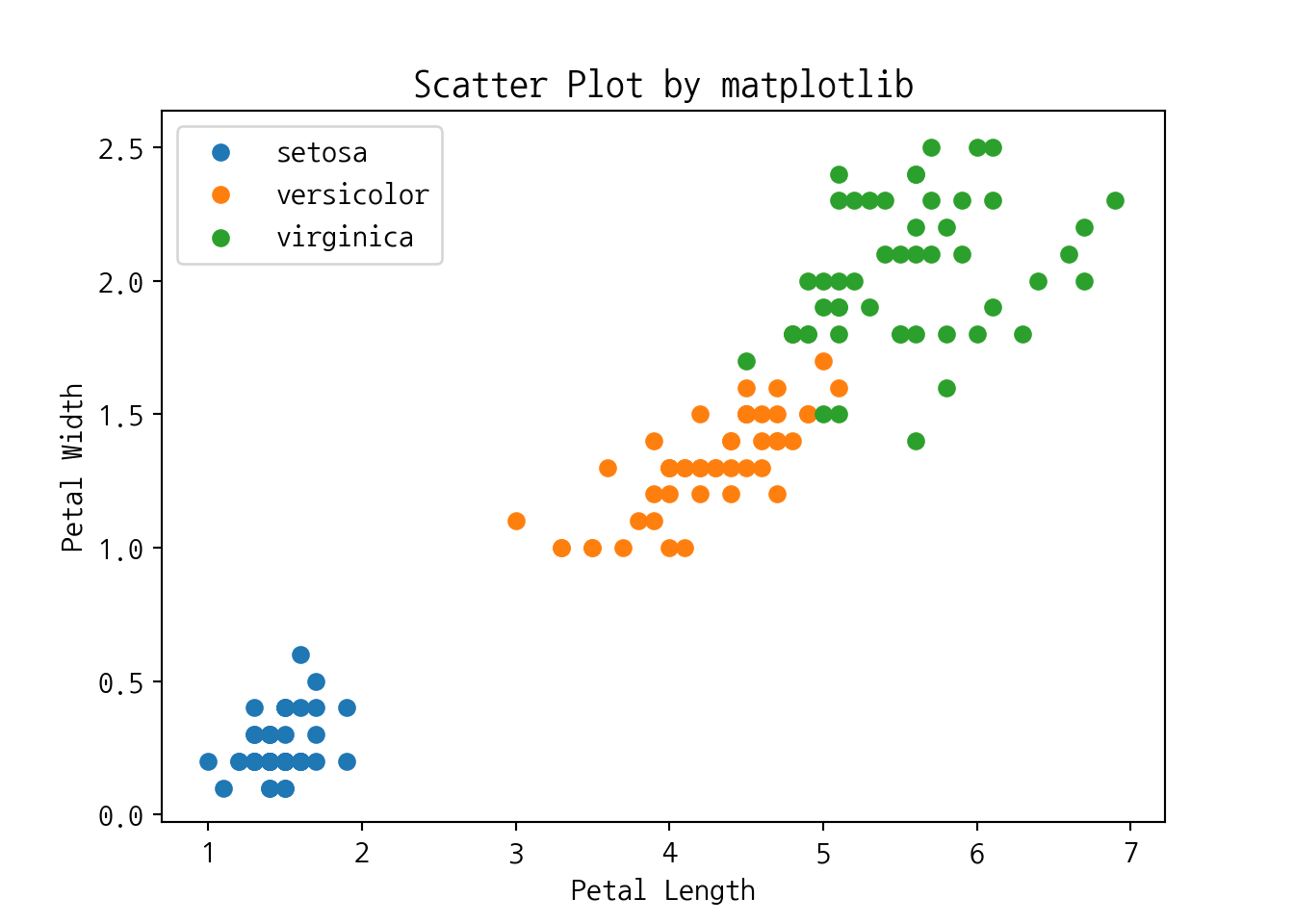
6.4.4 막대그래프
labels = ['G1', 'G2', 'G3', 'G4', 'G5']
means = [20, 34, 30, 35, 27]

x = np.arange(len(labels))  # the label locations
rec = plt.bar(x, means, 0.5) # 막대의 두께: 0.5
plt.xticks(x, labels)
## ([<matplotlib.axis.XTick object at 0x7fbe330e2e50>, <matplotlib.axis.XTick object at 0x7fbe33181c90>, <matplotlib.axis.XTick object at 0x7fbe33181610>, <matplotlib.axis.XTick object at 0x7fbe3310fe90>, <matplotlib.axis.XTick object at 0x7fbe33099590>], <a list of 5 Text xticklabel objects>)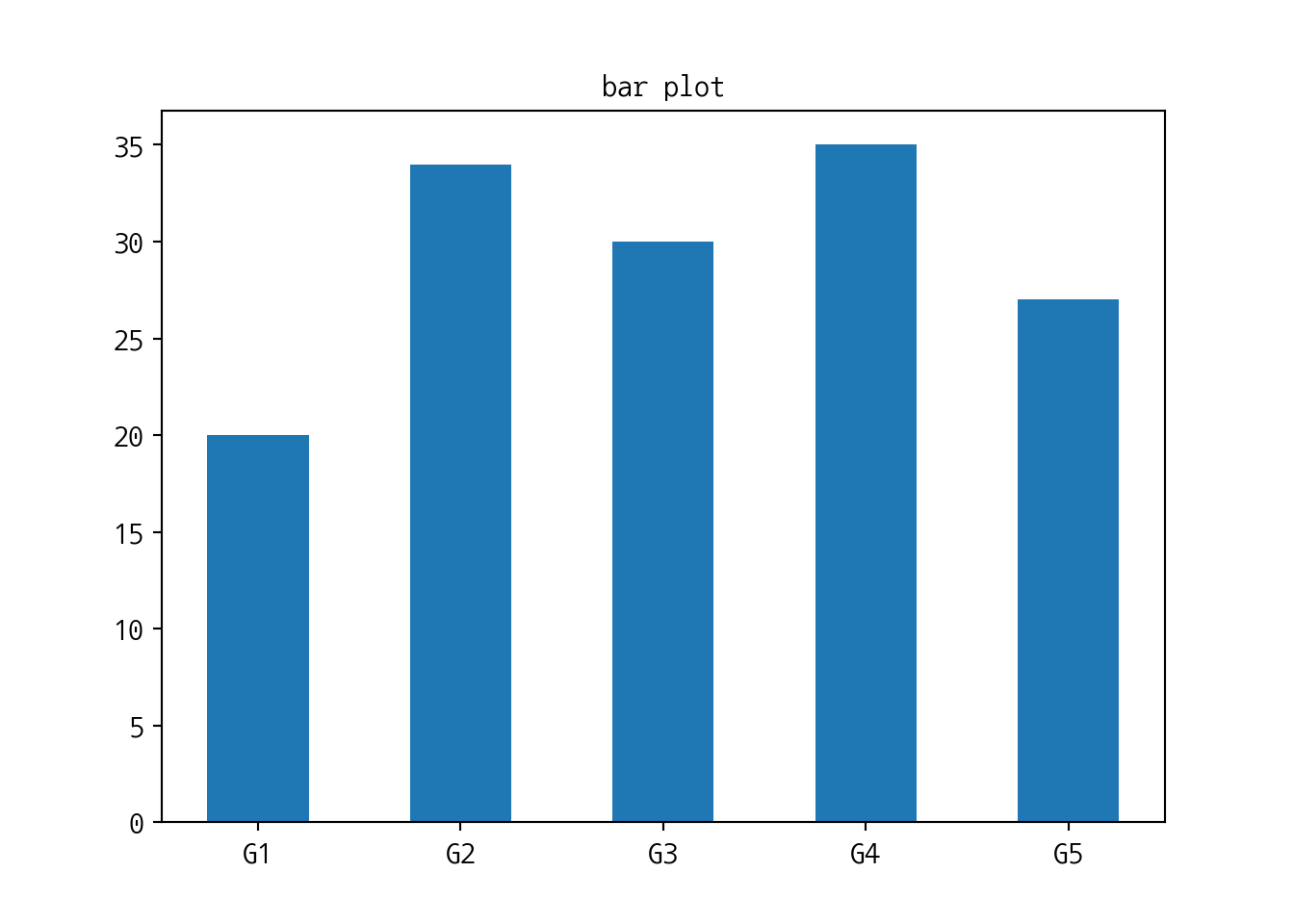
6.5 seaborn 패키지 & load datasets
seaborn패키지의load_dataset()함수: seaborn패키지의 내장데이터를 가져옴
import numpy as np
import pandas as pd
import matplotlib.pyplot as plt   # for plotting
import seaborn  as sns
iris = sns.load_dataset("iris") # 붓꽃 데이터irisdata의 데이터타입 확인
## <class 'pandas.core.frame.DataFrame'>irisdata의 데이터 컬럼속성 및 데이터 확인
## Index(['sepal_length', 'sepal_width', 'petal_length', 'petal_width',
##        'species'],
## dtype='object')## sepal_length sepal_width petal_length petal_width species
## 0 5.1 3.5 1.4 0.2 setosa
## 1 4.9 3.0 1.4 0.2 setosa
## 2 4.7 3.2 1.3 0.2 setosa
## 3 4.6 3.1 1.5 0.2 setosa
## 4 5.0 3.6 1.4 0.2 setosa- 팁 데이터 가져오기
tips = sns.load_dataset("tips")    # 팁 데이터
#flights = sns.load_dataset("flights")    # 여객운송 데이터
tips.head()
## total_bill tip sex smoker day time size
## 0 16.99 1.01 Female No Sun Dinner 2
## 1 10.34 1.66 Male No Sun Dinner 3
## 2 21.01 3.50 Male No Sun Dinner 3
## 3 23.68 3.31 Male No Sun Dinner 2
## 4 24.59 3.61 Female No Sun Dinner 4- 타이타닉호 데이터
##    survived  pclass     sex   age  ...  deck  embark_town  alive  alone
## 0         0       3    male  22.0  ...   NaN  Southampton     no  False
## 1         1       1  female  38.0  ...     C    Cherbourg    yes  False
## 2         1       3  female  26.0  ...   NaN  Southampton    yes   True
## 3         1       1  female  35.0  ...     C  Southampton    yes  False
## 4         0       3    male  35.0  ...   NaN  Southampton     no   True
##
## [5 rows x 15 columns]
6.6 scatter plot
6.7 boxplot
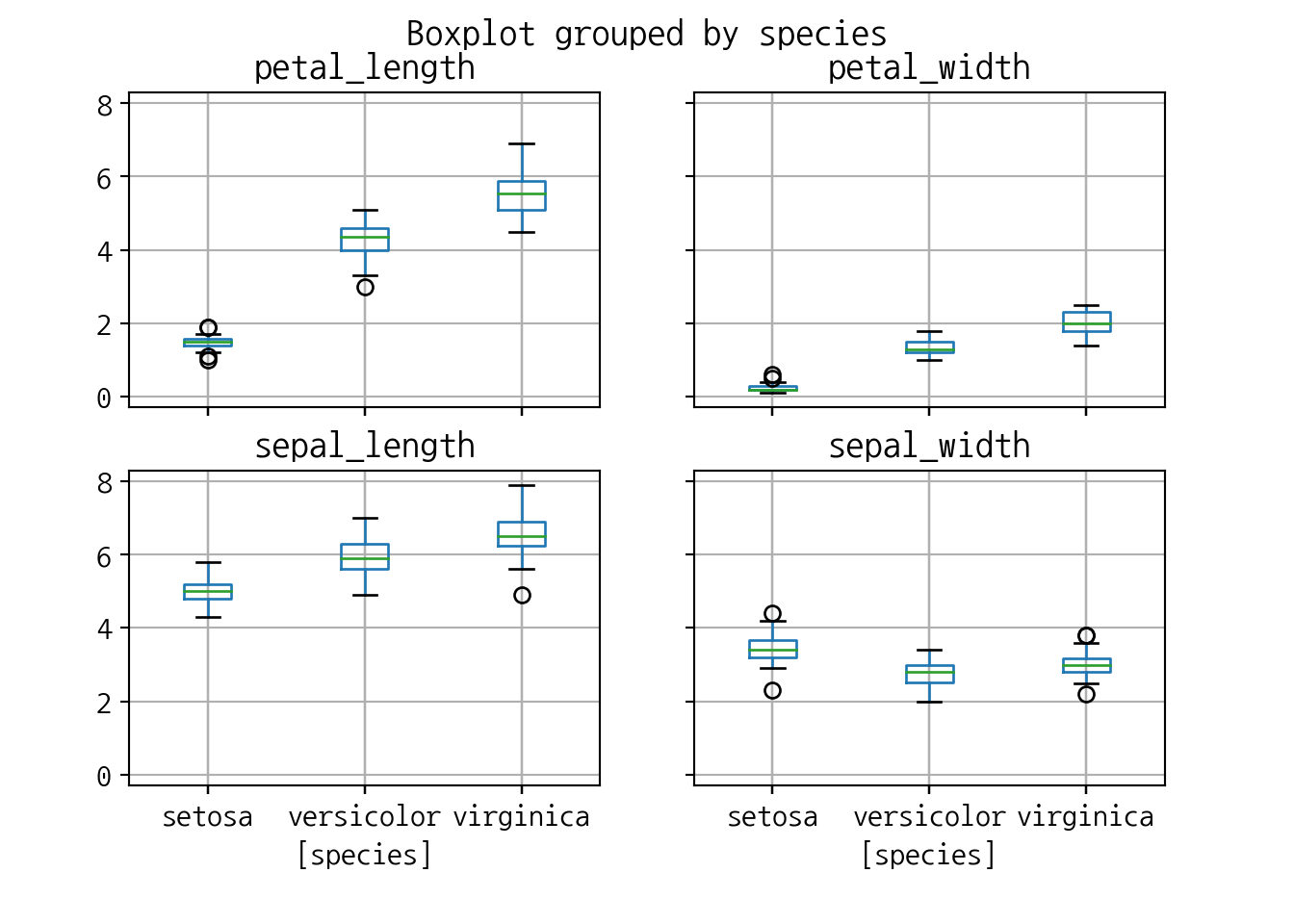
6.7.1 pandas
import matplotlib.pyplot as plt
import numpy as np

# Random test data
np.random.seed(19680801)
all_data = [np.random.normal(0, std, size=100) for std in range(1, 4)]
labels = ['x1', 'x2', 'x3']

fig, axes = plt.subplots(nrows=1, ncols=2, figsize=(9, 4))

# rectangular box plot
bplot1 = axes[0].boxplot(all_data,
                         vert=True,  # vertical box alignment
                         patch_artist=True,  # fill with color
                         labels=labels)  # will be used to label x-ticks
axes[0].set_title('Rectangular box plot')

# notch shape box plot
bplot2 = axes[1].boxplot(all_data,
                         notch=True,  # notch shape
                         vert=True,  # vertical box alignment
                         patch_artist=True,  # fill with color
                         labels=labels)  # will be used to label x-ticks
axes[1].set_title('Notched box plot')

# fill with colors
colors = ['pink', 'lightblue', 'lightgreen']
for bplot in (bplot1, bplot2):
    for patch, color in zip(bplot['boxes'], colors):
        patch.set_facecolor(color)

# adding horizontal grid lines
for ax in axes:
    ax.yaxis.grid(True)
    ax.set_xlabel('Three separate samples')
    ax.set_ylabel('Observed values')

plt.show()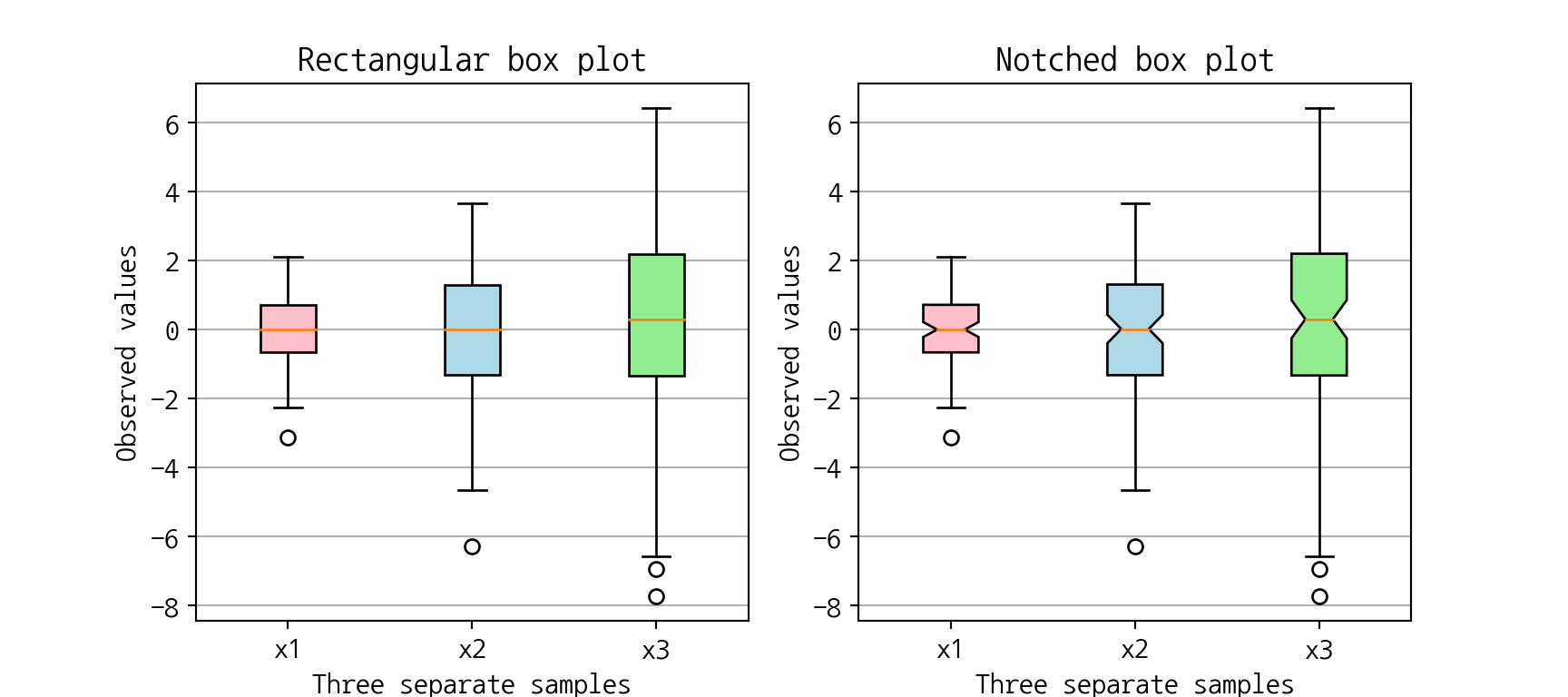
## array([[<matplotlib.axes._subplots.AxesSubplot object at 0x7fbe32fb8750>,
##         <matplotlib.axes._subplots.AxesSubplot object at 0x7fbe32efe910>],
##        [<matplotlib.axes._subplots.AxesSubplot object at 0x7fbe32997910>,
##         <matplotlib.axes._subplots.AxesSubplot object at 0x7fbe3294e910>]],
##       dtype=object)